How to Account for Edge Banding in Finished-Size Cut Layouts
Learn how to account for edge banding in Grainline Layout using finished sizes, edge assignments, and banding materials so net cut sizes are calculated automatically.
Grainline Layout lets you work from finished size instead of raw cut size.
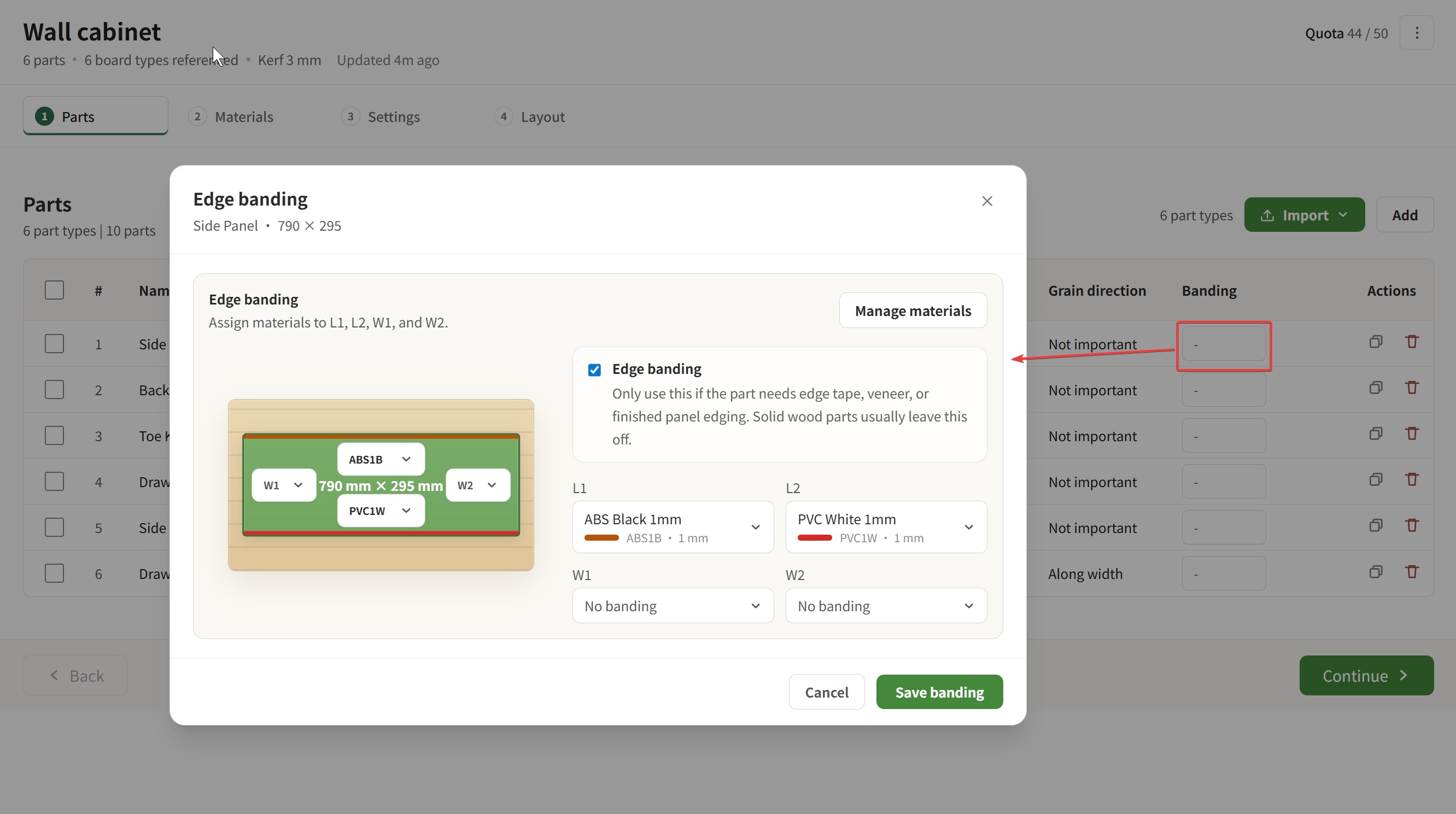
When a part needs edge banding, you can mark which edges are banded and choose the banding material. Grainline Layout then calculates the net cut size automatically, so the layout leaves room for banding thickness before the part is cut.
That means you do not have to manually subtract banding thickness from every part dimension yourself.
tips: Banding is not available for anonymous users. Sign in to use it.
What Banding Changes in the Layout
When banding is applied:
- the part still represents the finished size you want
- Grainline Layout calculates the net cut size needed before banding is added
- the optimizer cuts the part smaller where banding thickness must be accounted for
This keeps the layout aligned with the real part you want to end up with, not just the raw rectangle before finishing.
Where You Can Edit Banding
You can set or update banding information in several places:
- when adding a part
- through inline edit in the parts table
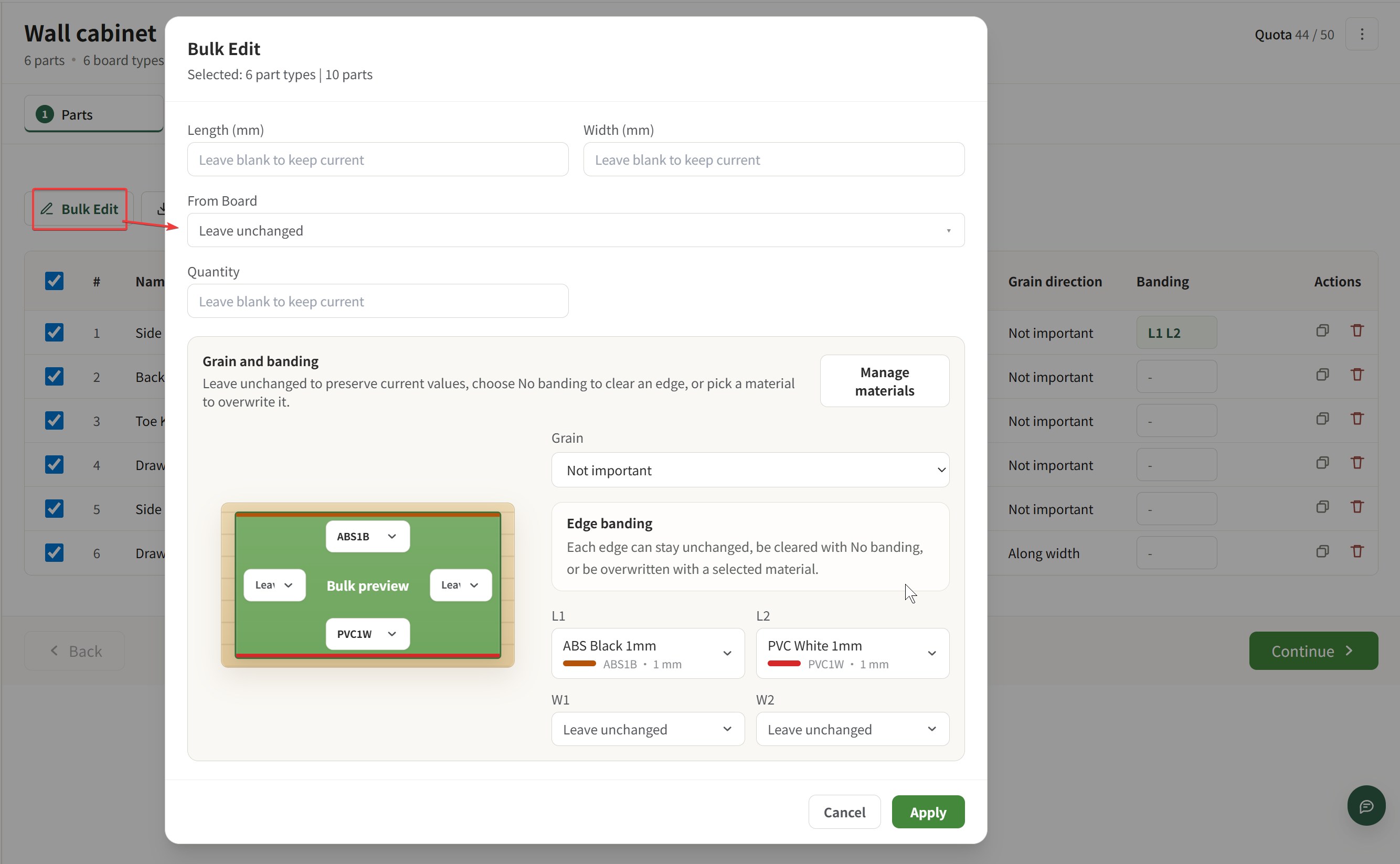
- through bulk edit for multiple parts
- during CSV import
This makes it easy to start simple and add banding later, or to bring the information in from a prepared file.
Check Banding Material Demand in Materials
In the Materials step, Grainline Layout also shows the banding materials required for the current project.
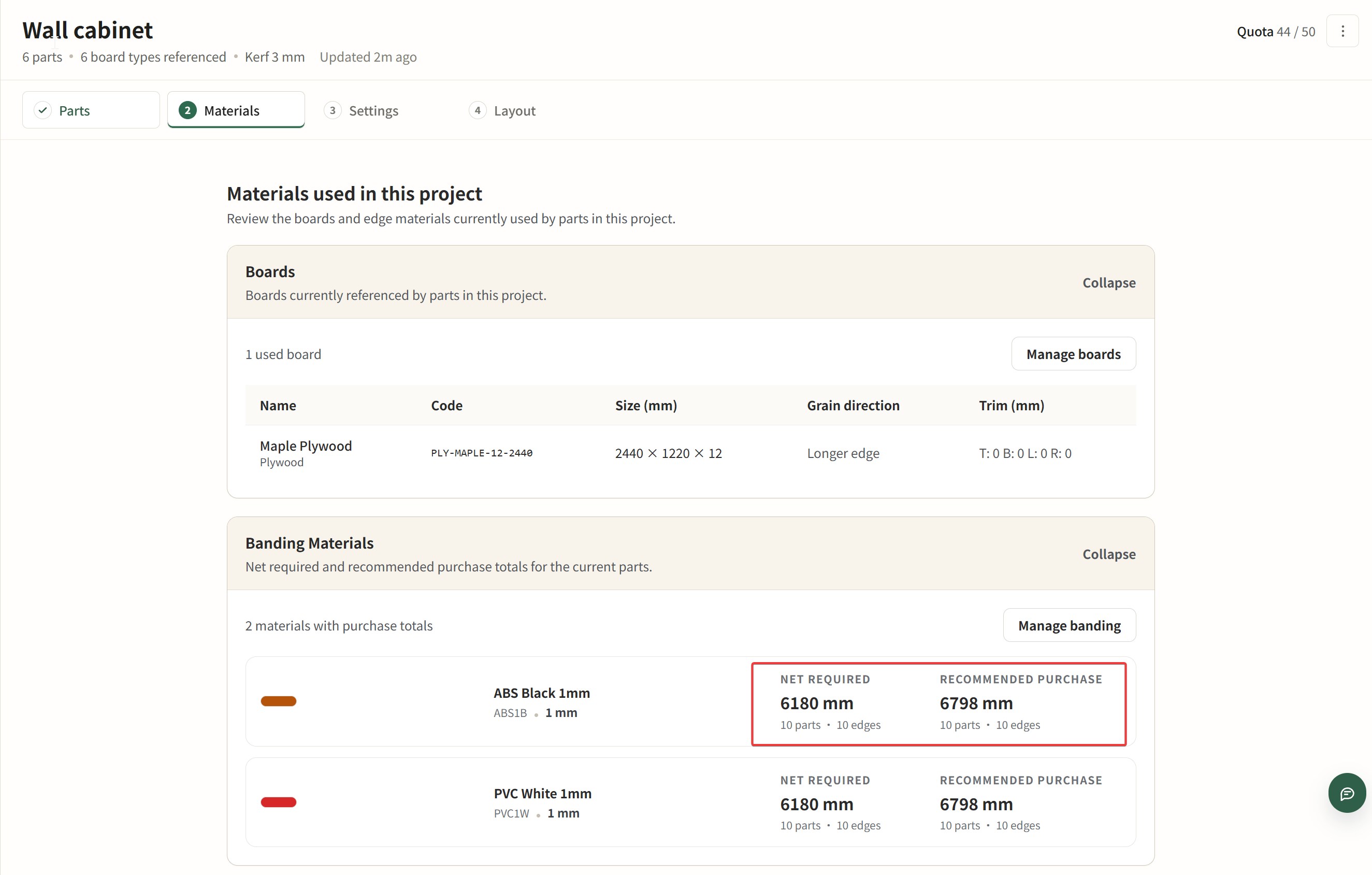
This helps you see what banding stock you need to buy before cutting, instead of discovering it only after the sheet layout is already done.
How Banding Appears in Layout and PDF
During layout optimization, Grainline Layout already cuts out the banding thickness in the part size calculation.
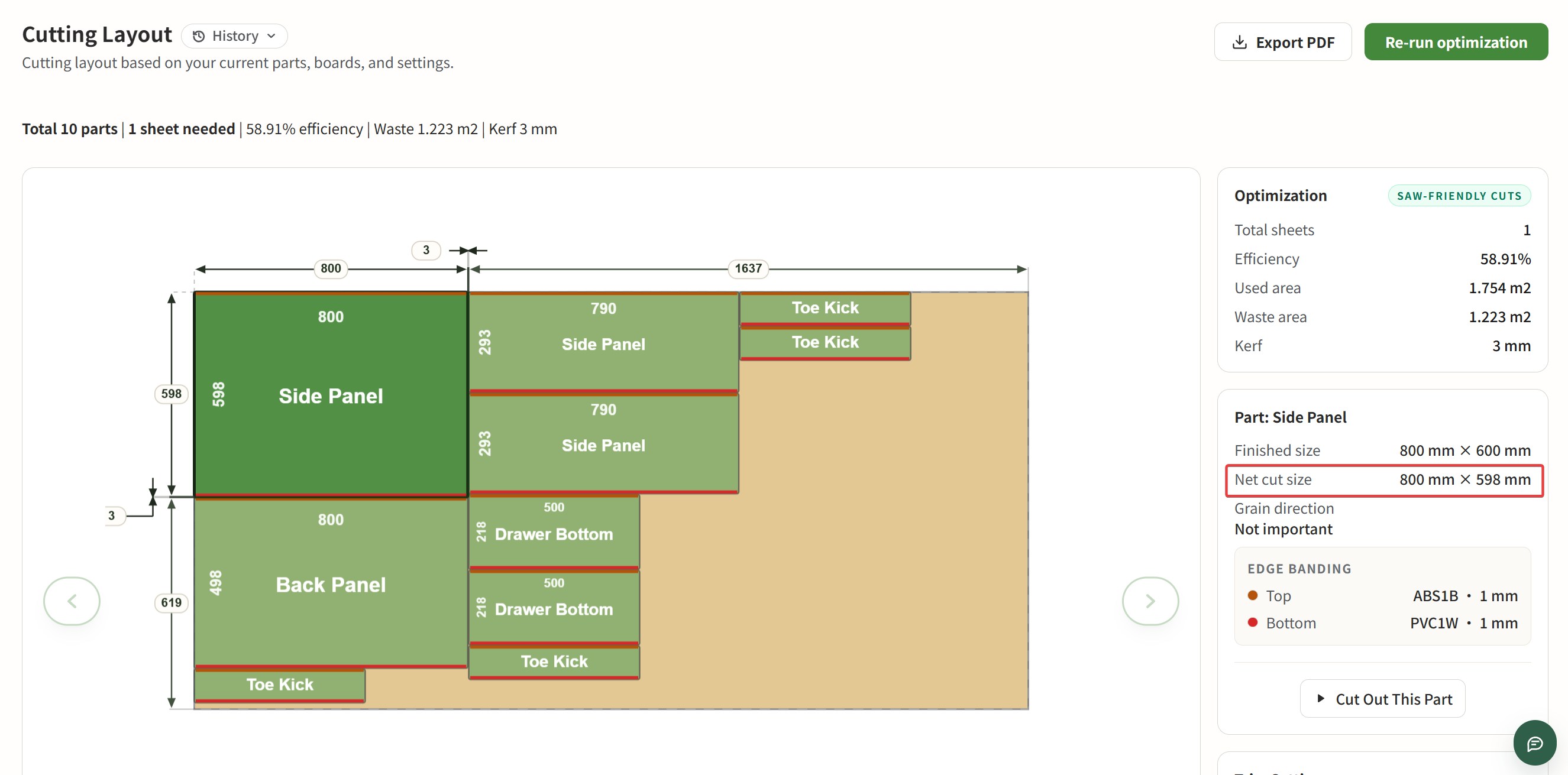 In the layout view and in the exported PDF:
- edges that need banding are marked
- the markings use the color of the assigned banding material
This makes it easier to read which edges still need finishing after cutting, especially when a project uses more than one banding material.